


Please choose from the following topics:
Frequently asked questions
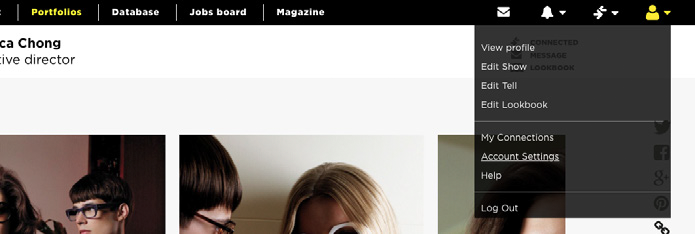
WHERE ARE MY ACCOUNT SETTINGS?
When you are logged in, your account settings can be found by navigating to the person icon in the top right-hand corner of your screen, hovering to open the drop down menu, then clicking on ‘account settings’.
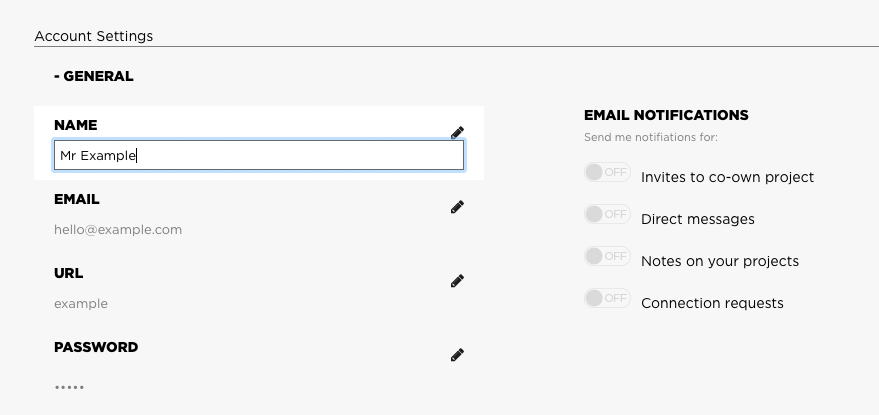
HOW DO I CHANGE MY NAME EMAIL ADDRESS, URL OR PASSWORD?
On the account settings page, under ‘General’, you are given the option to change the name, email, URL and password attached to your profile. Simply click on the pencil icon next to the field you wish to edit and input the new information.
Remember to click the ‘Save changes’ button at the bottom of the page to ensure you do not lose your changes.
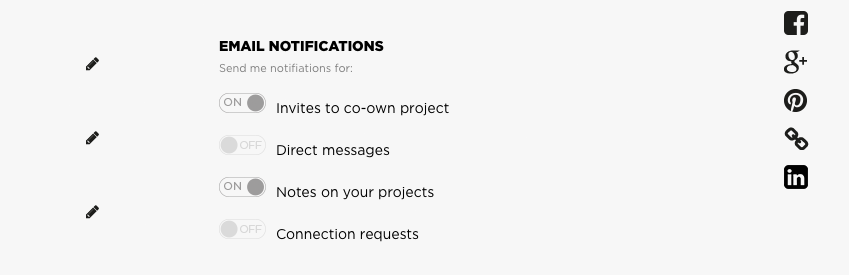
HOW DO I ALTER MY EMAIL NOTIFICATIONS?
On the account settings page, under ‘Email notifications’, there is a number of on/off buttons to decide which emails you would like to recieve to the email address linked to your account. Just click on each button to switch from off to on and vice versa.
Remember to click the ‘Save changes’ button at the bottom of the page to ensure you do not lose your changes.
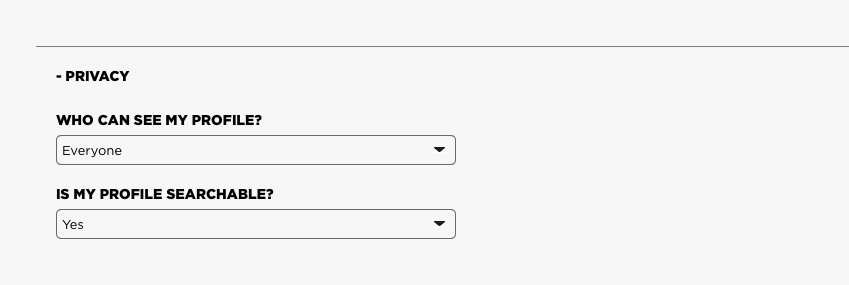
CAN I MAKE MY PROFILE PRIVATE?
On the account settings page, under ‘Privacy’, there are two drop down menus to decide the privacy of your profile. You can choose whether everyone, connections, or just you personally can view your profile with the first, and whether or not your profile is searchable in the NouvelleBox search pages.
Remember to click the ‘Save changes’ button at the bottom of the page to ensure you do not lose your changes.
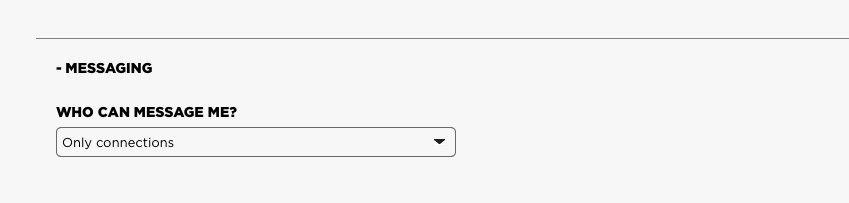
WHO CAN MESSAGE ME?
On the account settings page, under ‘Messaging’, there is a drop down menu to decide whether everyone or connections only can message you using the NB mail system.
Remember to click the ‘Save changes’ button at the bottom of the page to ensure you do not lose your changes.
Contact us


Design : Creative Interpartners
Website by Beachshore